01 · The takeaway
One thing viewers should remember
"Hypertune tuned my PC for games, here is the difference on my own setup, and you can try it with my link."
Who is watching
PC gamers who want more FPS and smoother play from the hardware they already own.
What wins them over
Many have tried "FPS booster" apps that did nothing, so they are sceptical. A real result on a real PC, shown honestly, is the most persuasive thing you can give them.
02 · Formats
Two ways to feature Hypertune
Your agreement says which one you are making.
A · FPS or settings guide
A video for one game, for example "Best [game] settings for FPS", with Hypertune as one of the steps. Viewers are already trying to get more FPS, so this format converts far better than anything else we have run.
B · Sponsored segment
A 60 to 90 second segment in a regular video. Place it after your intro, within the first three minutes, not at the end.
03 · Videos to copy
What has worked for us
Real Hypertune videos that turned viewers into customers. Watch how each one fits Hypertune into the video and lays out the description.
- A complete, chaptered guide: game settings, Windows, NVIDIA, network. Hypertune is one step in a video people search for.
- Hypertune link is the very first line of the description.
- YouTube's paid promotion label is switched on.
- Shorter guide: in-game and NVIDIA settings plus useful commands.
- Hypertune link on line one, and the video is tagged #ad.
- Proof that a guide does not need to be long to work.
- Our strongest integration in a regular video: a long commentary piece with a loyal audience.
- Hypertune link is the first line of the description, above everything else.
- Gameplay movie with the link on line one of the description.
- Full PC specs listed in the description, so viewers can compare with their own setup.
The common thread: the link is always the first line of the description, and the best results come from videos where the viewer already wants more FPS.
04 · The product
What Hypertune is
Hypertune is a Windows app that tunes your PC's hardware and settings for gaming. It reads your hardware, then applies the performance settings you choose. It does not touch files inside your games, and every change can be undone.
Pick the two or three features that fit your video and show them on screen. You do not need to cover them all.
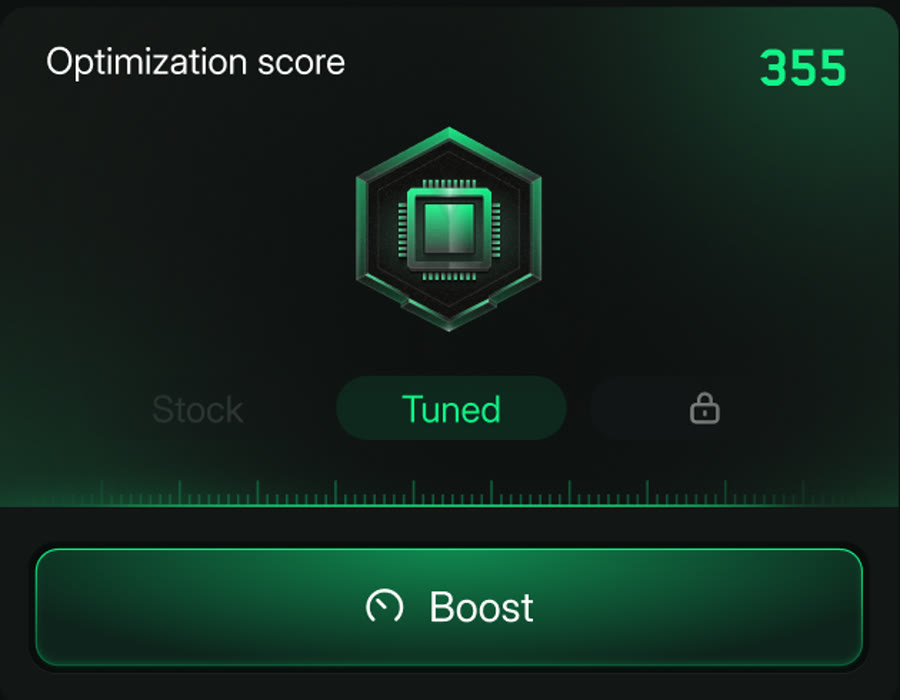
See your PC go from untuned to tuned
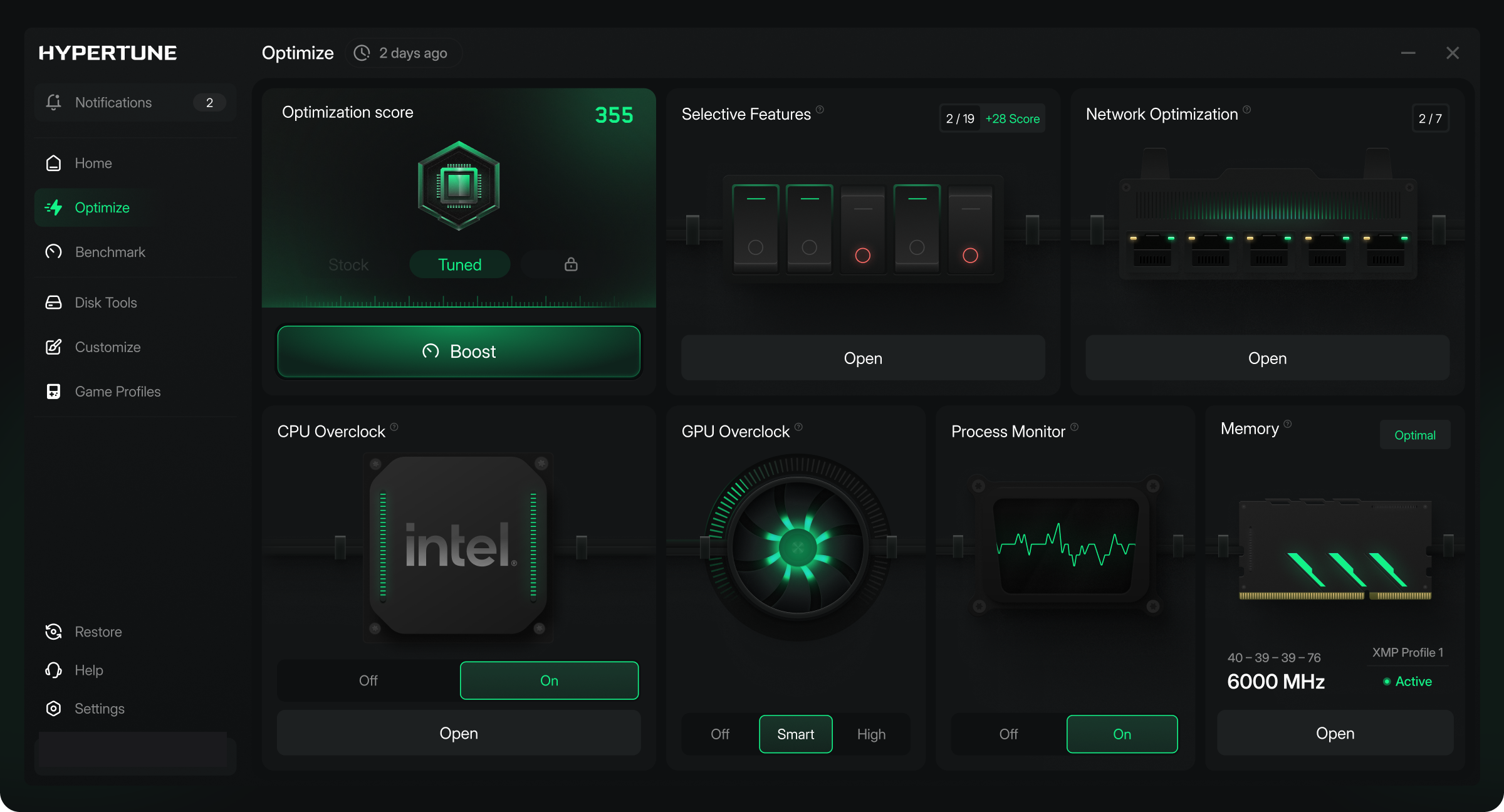
Badges show your PC's state, from Stock to Tuned, next to your optimization score. Show your badge before and after you run Hypertune. It is the easiest on-screen moment in the whole segment.
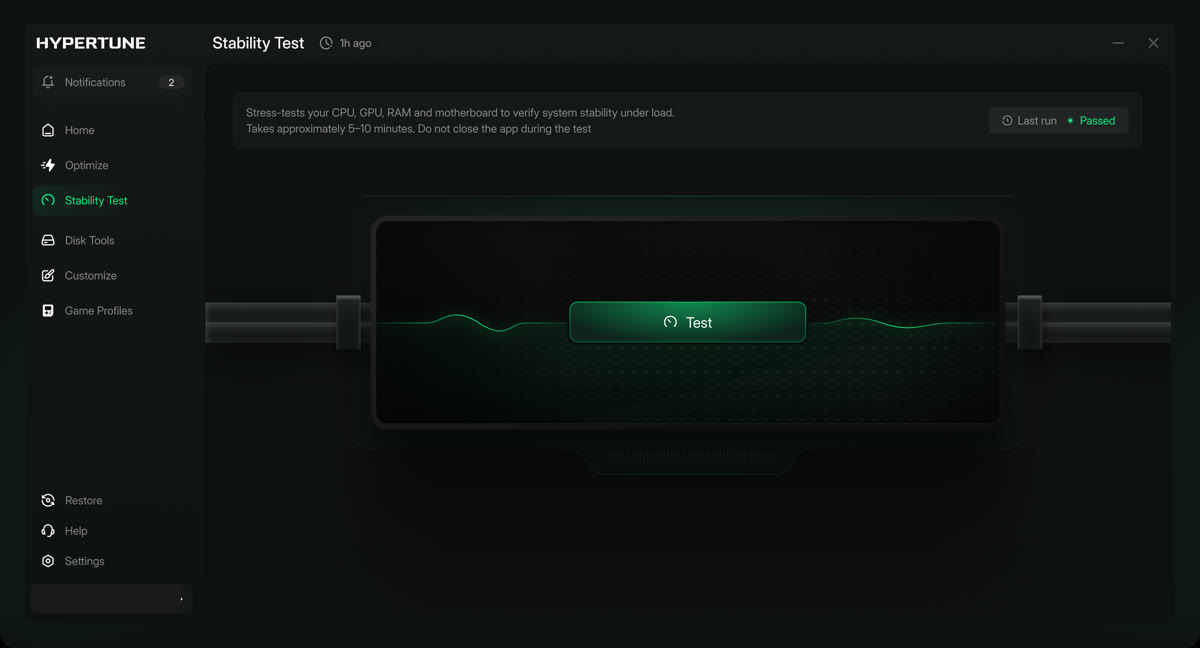
The fastest stable speed for your exact hardware
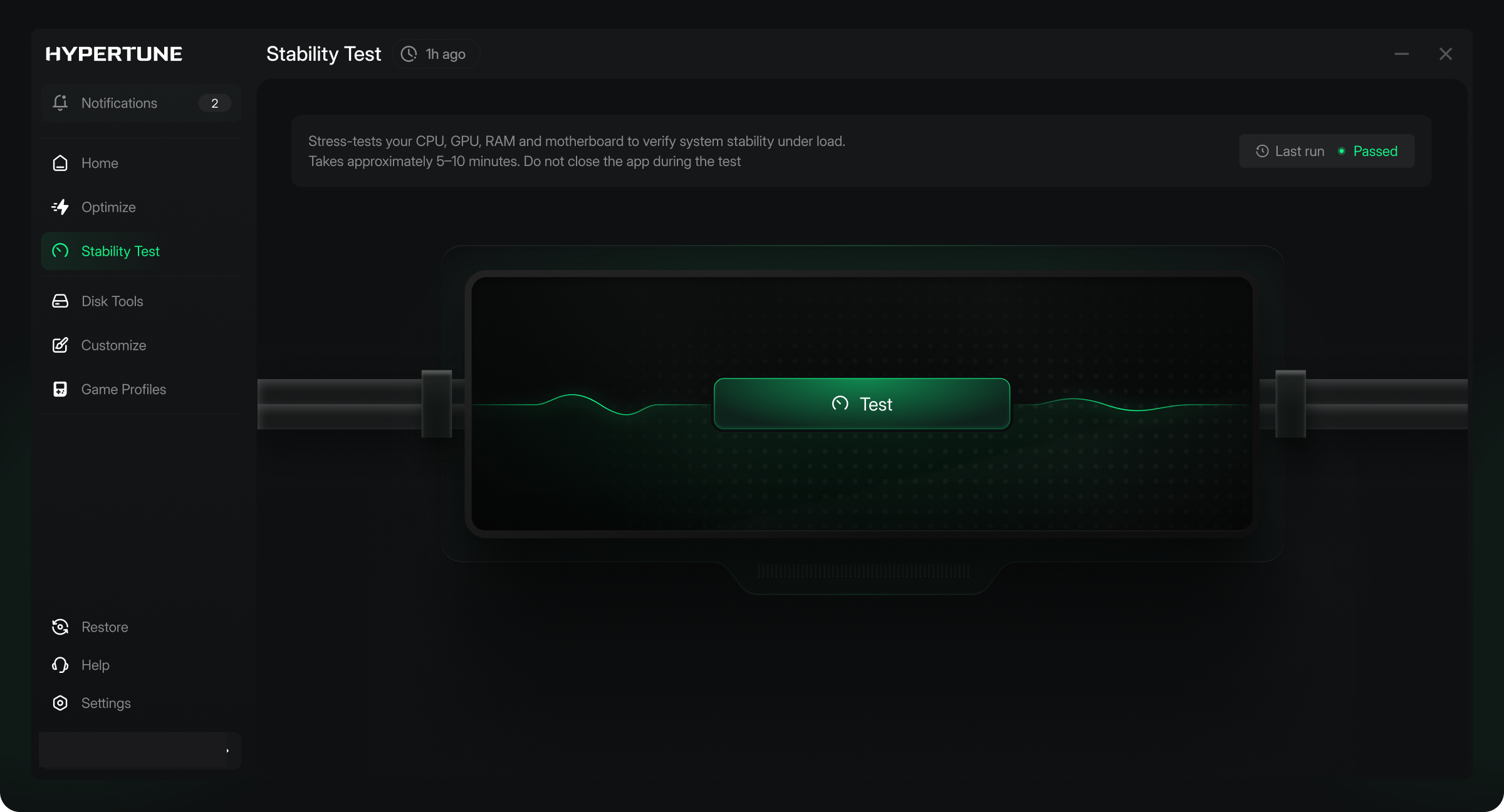
Hypertune stress-tests your processor and graphics card to find the fastest speed they can hold. If your cooling cannot hold it, Hypertune does not apply it. It uses official Intel and AMD toolkits. Call it "Smart Overclocking", not "auto overclocking".
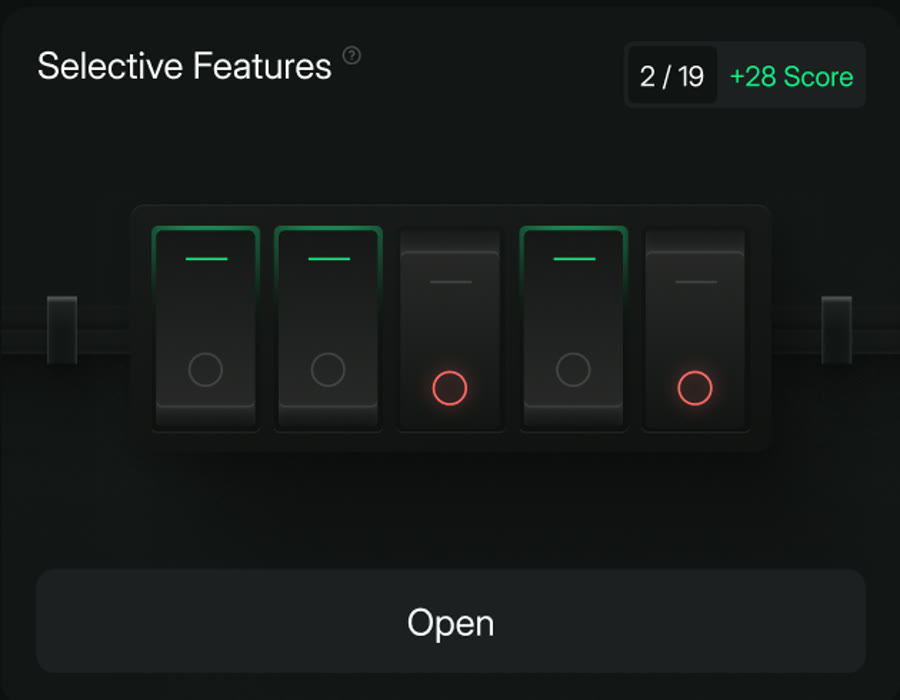
You choose exactly what to turn on
For example a custom NVIDIA profile or a custom power plan. Nothing is applied that you left off.
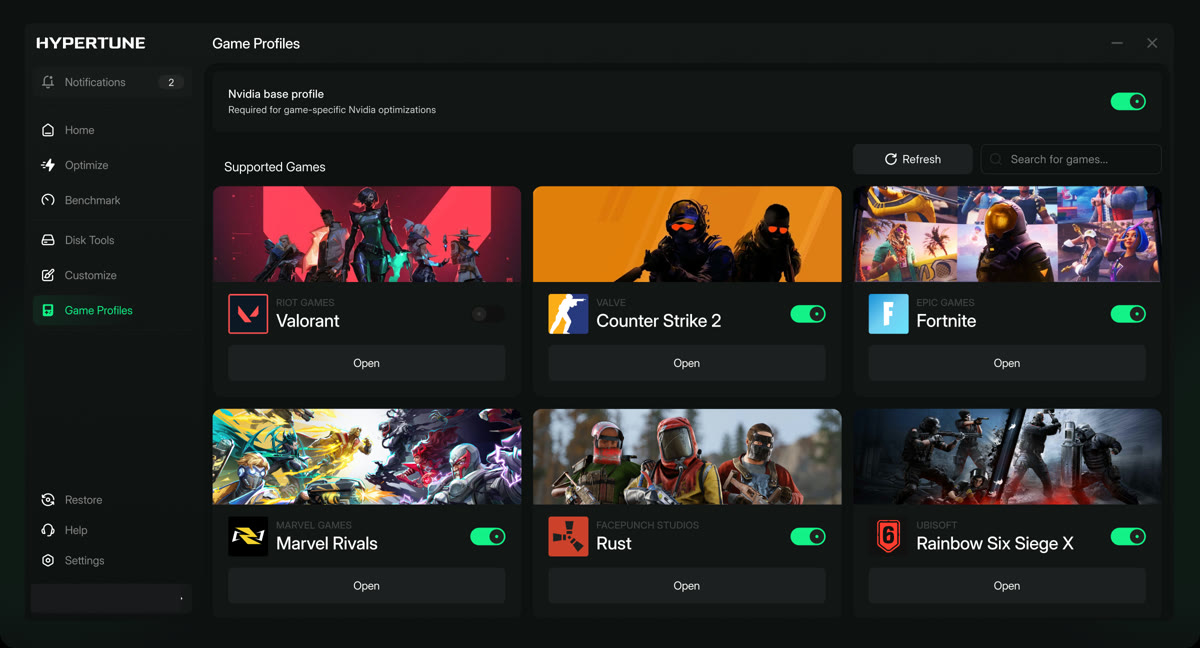
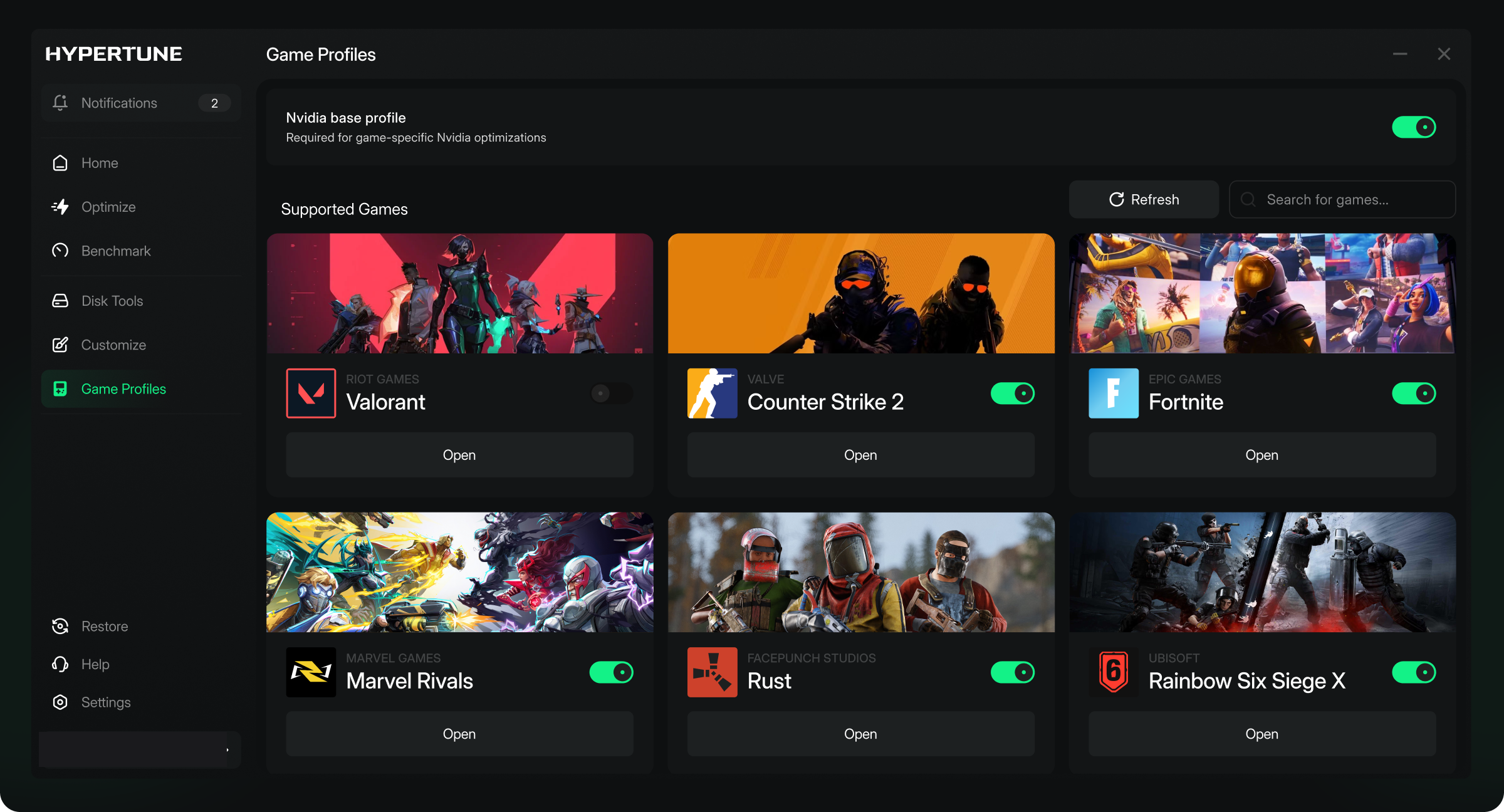
Ready-made settings for the games you play
Settings profiles for individual games, including Valorant, Counter Strike 2, Fortnite, Marvel Rivals, Rust and Rainbow Six Siege X.
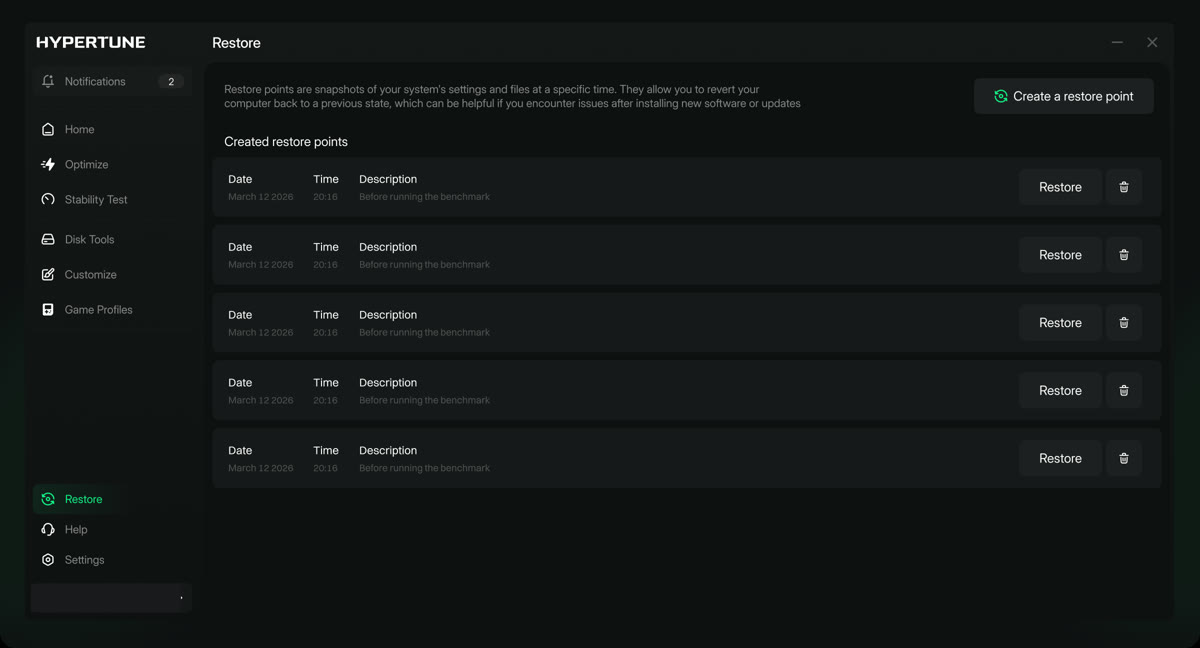
Every change can be undone
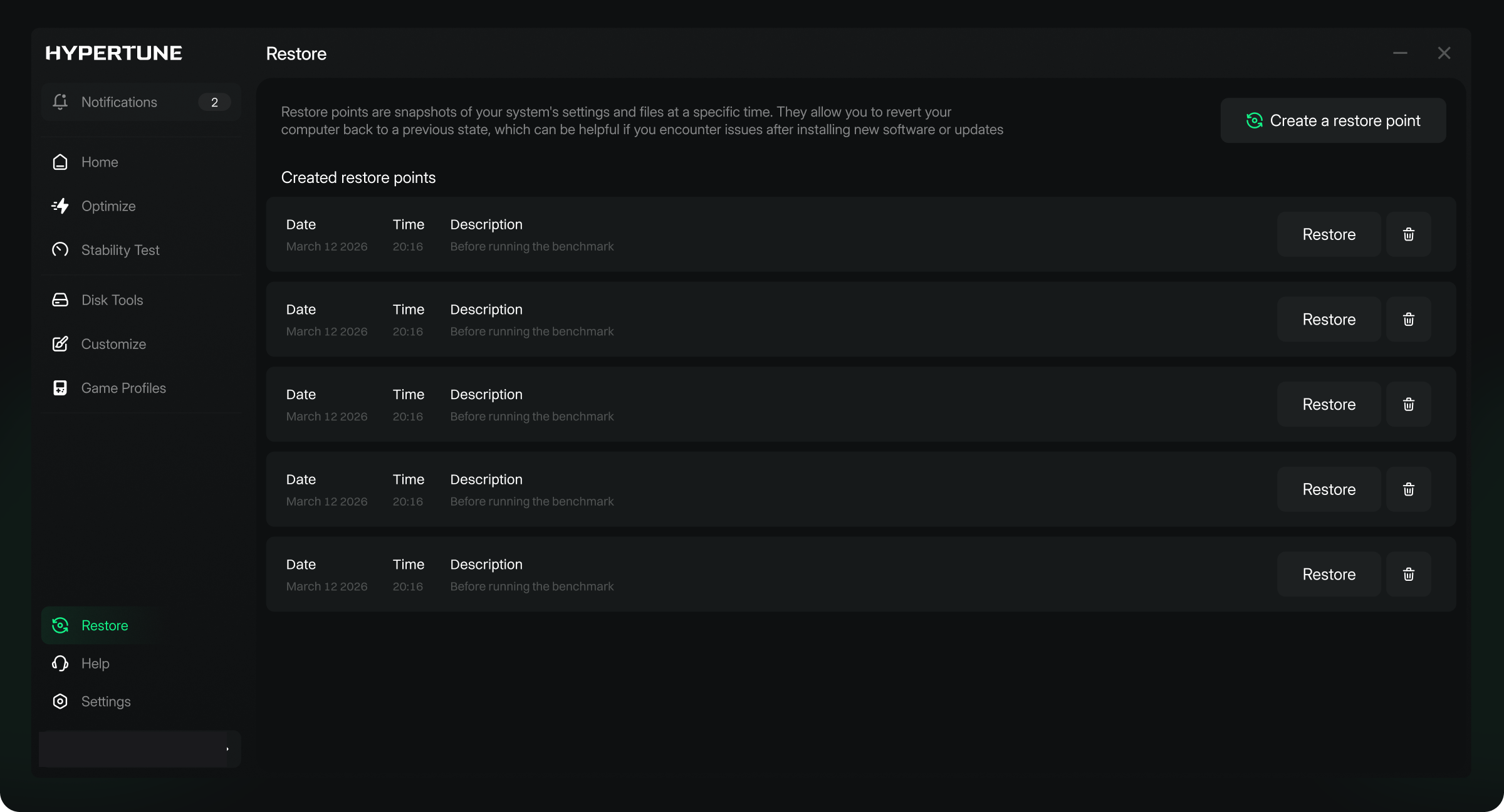
Before it changes anything, Hypertune creates a Windows restore point, and you can revert everything from inside the app. Worth a mention for viewers who are nervous about overclocking.
Intel and AMD
Use one of the fixed partner lines in section 06. Nothing else.
$9.99 a month or $59.99 a year in the US
Prices are lower in some countries. Every plan has a 7-day money-back guarantee.
05 · Segment structure
Six beats, in your words
Transition
Lead in from your video's topic. For example: "Before we get into settings, if your FPS dips in big fights, this helped me."
The result
Show your own before and after (see the checklist). If you mention the headline number, use the fixed line.
What Hypertune is
One or two sentences from section 04, plus one partner line.
Key features
Show two or three on screen. Your badge going from Stock to Tuned is a strong one.
Setup and use
Download, sign in, pick your features, run it. Mention the restore point. Say how you actually use it.
Call to action
The fixed spoken line, with your link in the description and pinned comment.
06 · Fixed lines
Say these exactly as written
Everything around them is up to you.
This video is sponsored by Hypertune.
This part of the video is sponsored by Hypertune.
Hypertune is Intel's exclusive partner for gaming optimization.
Hypertune is officially partnered with Intel and AMD.
Up to 60% more FPS. Results vary by PC and game.
If you want to see what Hypertune does on your PC, grab it with my link in the description or the pinned comment. The current offer is in there, and there's a 7-day money-back guarantee.
The offer stays out of the spoken line on purpose. Videos stay up for years and offers change, so the offer lives in the description and pinned comment, which can be edited.
07 · Recording checklist
Before you hit publish
- Run Hypertune on your own PC before filmingYou will be telling viewers you use it, so that has to be true.
- Film the before and after properlySame game, map or scene, in-game settings and resolution. Record "before", run Hypertune, record "after".
- Keep an FPS overlay on screenAverage FPS and 1% lows, with your CPU and GPU shown on screen.
- Call it "my result"When you get good results, show your own footage so it is clearly yours.
- If your gain is small, say soOr use our example clip (media library), labelled as Hypertune's. Never present someone else's result as yours.
- Show the appYour badge going from Stock to Tuned, the features you turned on, and Game Profiles.
- Showcase the Intel and AMD partnershipSay one partner line. Show partner logos only with files we send you. Until then, use the line without a logo.
- Create a new tracking link for this videoIn your affiliate portal, before you publish. A reused link means the video is not tracked or paid correctly.
- Tick "includes paid promotion"The YouTube checkbox when you upload.
- Send Austin your draftThe segment or rough cut, before publishing.
08 · Description and pinned comment
Copy, paste, add your link
Sponsored by Hypertune. Get more FPS from your PC 🚀 [your link for this video]
The yearly plan is 50% off compared with paying monthly. Results vary by PC and game.
I earn a commission if you buy through my link.
Unlock more performance from your PC with Hypertune 🚀 [your link for this video]
Results vary by PC and game.
Put the description lines at the very top, above the "show more" cut. When the offer changes we will send you new wording; please update the description and pinned comment when we ask.
09 · Do not say
Lines to avoid, and what to say instead
| Do not say | Say this instead |
|---|---|
| "Trusted by", "endorsed by", "certified by" or "approved by" Intel or AMD, or "official Intel software" | One of the partner lines in section 06 |
| AMD "exclusive" | Only the Intel line uses "exclusive" |
| "60% more FPS" without "up to", or "most people get 60%" | "Up to 60% more FPS. Results vary by PC and game." Or simply your own result |
| "Guaranteed FPS", "doubles your FPS", "works on every PC" | Your real numbers |
| "Top esports pros use it", or naming pro players or teams | Leave it out unless we confirm a name in writing |
| Anything about game bans, account safety or a game's rules | Leave it out |
| Competitor names, CCleaner comparisons, "debloater" or "bloatware remover" | "Hypertune tunes your PC's hardware and settings for gaming" |
| "The best optimizer", "#1", "tweak tool", "FPS booster" | Describe what it did on your PC |
| "Free", "free trial", "limited time", or an end date | "There's a 7-day money-back guarantee" |
| That you use Hypertune, if you have not run it | Run it first |
10 · Media library
Logos, app screens and footage
Use these as they are. Do not recolour or redraw the logo; it only comes in red or white, never green.





11 · Approval and dates
Four steps from idea to live
Send Austin a short plan: working title, format, the game, and one line on your angle and where the segment sits. You hear back within 2 working days.
Send the segment or rough cut to Austin.
Go live with your new tracking link, and send us the video link.
For the period in your agreement. Update the offer copy when we ask.
Payment, usage rights and exclusivity are in your agreement, not this brief.